
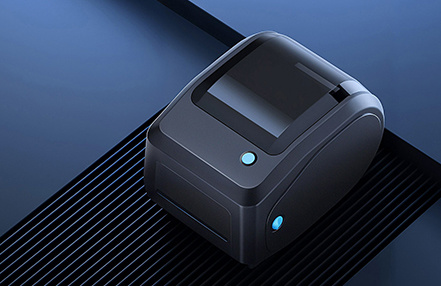




Inaccurate paper positioning or label skipping (label skipping or feeding blank paper)

Abnormality Description:
Inaccurate paper positioning or skipped labels (skipping labels or printing blank sheets)
Solution:
1. Print a self-test page to verify that the paper type loaded in the printer matches the paper type configured in the settings.
2. Ensure that the gap/black mark sensor is positioned within the paper, and that the black mark sensor is aligned with the area where no back-side printing occurs.
3. After cleaning any dust or foreign matter from the sensor, perform gap learning and black mark learning.
4. Use a smartphone camera to check whether the sensor light is illuminated.
5. Restart the printer’s power supply, then briefly press the button to observe whether paper positioning is accurate.
Bluetooth connects normally, but there is no response when sending print jobs.
Issue Description:
The Bluetooth connection is normal, but no response occurs when printing commands are sent.
Solution:
1. Print a self-test page to check whether the Bluetooth parameters are present and correct, with no garbled characters.
2. Verify that the instruction set used by the current software matches the instruction set supported by the printer.
3. Confirm that the printer is not in an error state.
4. Restart the printer’s power supply.
Abnormality: Printing issues (incomplete or unclear content)
Error descriptions:
1. Half of the printout is blank, while the other half contains content.
2. Light printing, trailing prints, or smudging.
Solutions:
1. Check that the cover is securely closed.
2. Clean the print head and the print roller.
3. Adjust the print speed and ink density.
4. Increase the thickness of the text on the test printout.
RR-LQ-DSI
Ink roller dries easily
Prolonged exposure to air. Take it out of the blister pack only before use. Keep the outer cover closed during prolonged printer operation.
Abnormal noise during belt rotation
Caused by gear transmission. This is a normal phenomenon and does not affect printing.
The belt holder was not removed from the top cover. Remove the belt holder and rotate the belt several times until it is normal.
Ink ribbon floating phenomenon
Caused by improper installation of the spring clip when replacing the ink ribbon. Open the top cover and reinstall the spring clip.
RI-IR40T
Faint print, short lifespan
① Low ink content, increase ink content
② Single ink wheel structure is relatively easy to dry, it is recommended to use our company's double ink wheel ERC09, longer lifespan
Ink roller is easy to dry
Caused by prolonged exposure to air, take it out from the blister pack only before use, keep the outer cover closed during prolonged printer operation
RR-EP-LQ2550
Abnormal noise during use
The sound made by the ribbon gear drive is normal.
Cannot be installed in LQ680 printer
This is due to differences in the size of the landing gear for different printer models. When installing it in the LQ680 printer, you need to push it inward in the direction of installation.
RR-OK-720
Cannot be installed.
OKI 182 is compatible with OKI 720 in the US market, but in the European market, OKI 182 is not compatible with all OKI 720 products and requires a compatible ribbon to be replaced.
RR-PA-KX-P1090
Faint print, short lifespan.
① Ink was not manually applied according to the product instructions. Follow the instructions on the product casing to press the spring and manually apply ink using the knob.
Ribbon easily fuzzes.
① Caused by severe wear and tear on the print head edges. Replace the print head.
② The distance between the print head and the paper is too tight, resulting in excessive impact force on the ribbon. Adjust the distance between the print head and the paper.
RR-EP-FX890
Print marks are too deep.
A new printer or print head is too close to the paper. Adjust the print position.
Print marks have white lines.
A print head needle is broken. Replace the print head.
RR-EP-LQ1000
Abnormal sound when the gear rotates. This is a normal phenomenon caused by gear transmission and does not affect printing. The ink ribbon is drifting. This is caused by improper installation of the spring clip when replacing the ink ribbon. Open the front cover and reinstall the spring clip.